Interactive plate
Move through the chart like a briefing.
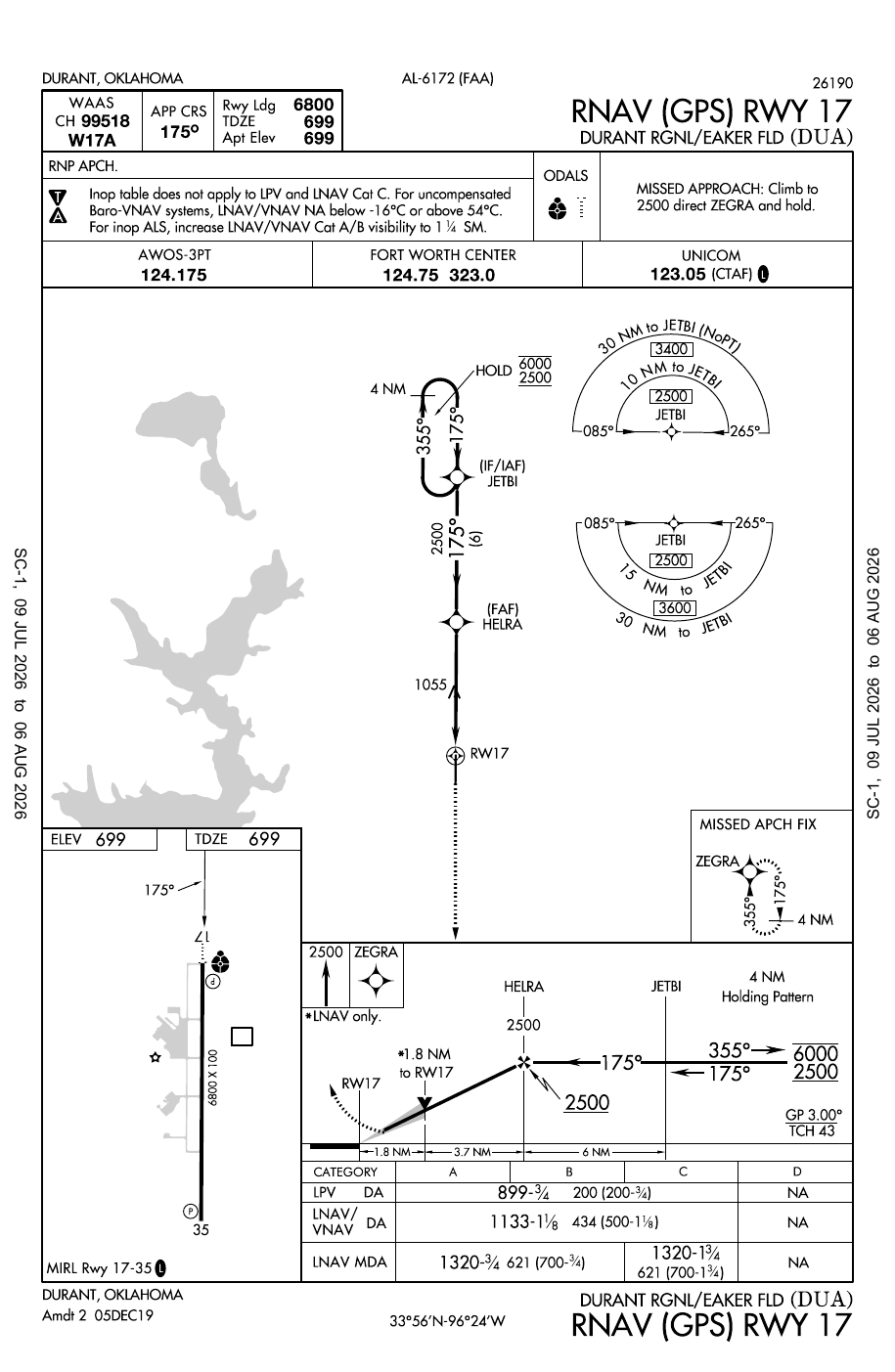
Select a chart region or procedure stage. The explanation panel follows the Ready Room 5-Link Method without covering the FAA chart.
Condition lab
Change one condition. Follow what moves.
These are not predictions or authorization tools. They demonstrate how a changed condition propagates through the procedure and the pilot’s remaining options.
Decision gates
Compare the published minimums without flattening the differences.
Select an approach line and aircraft category. The display uses the values printed on the cycle 2607 chart and explains the decision represented by that line.
Visibility
Height above touchdown
Category status
Source desk
Keep the chart, rule, and explanation separate.
The FAA chart controls the published procedure. Regulations establish operating requirements. FAA handbooks and the AIM explain chart use and procedure technique.
Instrument loop
Plate → Hobbs → decision
You read the chart. Next, pressure-test the rules that govern it. Hobbs answers from reviewed FAA material — or withholds if it can’t.
- Condition — What’s published on this plate?
- Ask Hobbs — What rule or definition controls the next move?
- Governing source — Open the citation before you treat it as settled.
Continue with Hobbs
When may I descend below DA on this approach?
What does No PT mean on an approach plate?
What are approach category speeds used for?
What are the KDUA RNAV 17 LPV minimums?
Open Hobbs · Instrument
5-Link check: Condition → Change → Consequence → Options → Governing source. If you can’t name the source, you’re not done.